Troubleshooting
This chapter contains information that may help you diagnose and resolve problems.
Ross Video Technical Support specialists are always available to assist you. For more information, see “Contacting Technical Support”.
Status Messages
This section describes following status messages, which may appear while you are using the PT Head Control Plugin:
- “Connecting to device”
- “Disconnected from device (Disconnected)”
- “Disconnected from device (Connect Failed)”
- “Error connecting to device (ESTOP active)”
- “Device Error”
Connecting to device
When DashBoard attempts to connect to the head, the Connecting to device message appears (Figure ??). As the connection attempt progresses, the message displays updated connection activity.
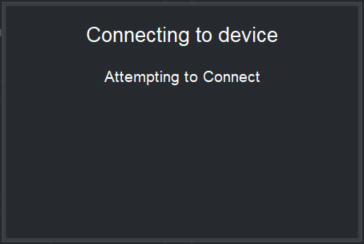
Figure 1 - Status message, "Connecting to device"
Disconnected from device (Disconnected)
The following message (Figure ??) appears when the operator has deliberately disconnected DashBoard from the head:
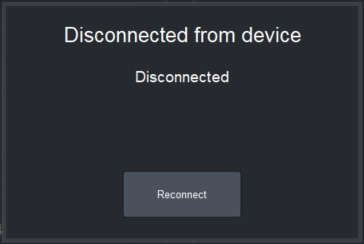
Figure 2 - Status message, "Disconnected from device — Disconnected"
To re-establish a connection, tap Reconnect .
Disconnected from device (Connect Failed)
The following message (Figure ??) appears after DashBoard makes several failed attempts to automatically connect to the head:
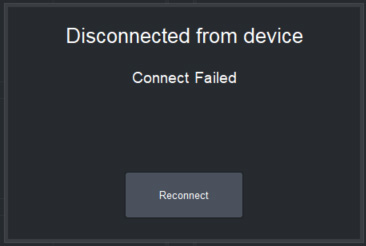
Figure 3 - Status message, "Disconnected from device — Connect Failed"
To retry, tap Reconnect .
Error connecting to device (ESTOP active)
The following message (Figure ??) appears when a physical emergency stop (ESTOP ) button has been pressed:
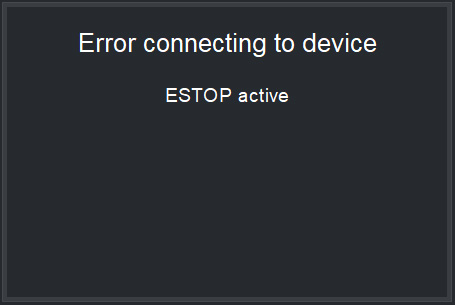
Figure 4 - Status message, "Error connecting to device — ESTOP Active"
DashBoard automatically reconnects to the head when the ESTOP button has been reset.
Device Error
When the head reports an error that requires resetting the connection between DashBoard and the head, a Device Error message appears. The message includes information about the error, as reported by the head. This information may help you and/or Technical Support diagnose and resolve the problem.
Depending on the type of error, it may be necessary to reboot the head before attempting to reconnect to it from DashBoard. If DashBoard fails to reconnect to the head when you tap the Reconnect button, it is possible that the head needs rebooting. Reboot the head and then reattempt connection from DashBoard.
Figure ?? shows an example of the Device Error message.
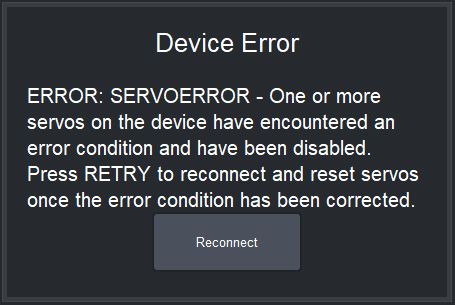
Figure 5 - Example of the "Device Error" status message
To re-establish a connection, tap Reconnect .