
To Run the Control Panel Test
Test the functionality of any of the buttons, knobs or fader and positioner on the control panel.
Important: This test disrupts the functionality of the control panel. If you are running this test from a remote computer, ensure that the control panel is available before
performing the test.
Tip: If you have an older version of software you
can access the test from the 3-knob menu (Press MENU > System > NEXT > NEXT > Diagnostic Tests
(Diag Tests on Carbonite Black) > Contrl Test.)
-
Click Navigation Menu > Configuration > Diagnostics.
-
Click Start Control Test.
The button shows Running and the 3-knob menu of the control panel shows the current button, knob, positioner, or fader being used.
-
Test the button, knob, positioner, and fader you want to check.
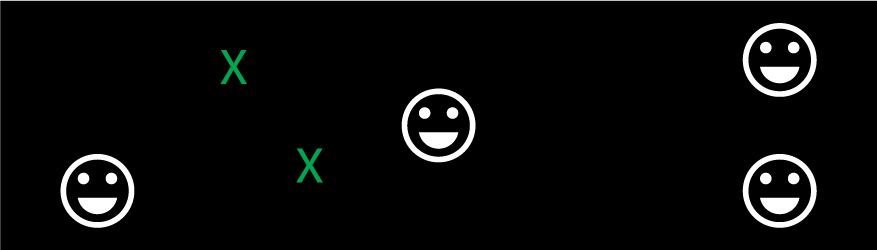
Note: On the TouchDrive control panel the displays show a touch pattern. Tap on the happy face to test the touch sensitivity and calibration. If the tap registers on the happy face, the happy face disappears. If the tap does not register on the happy face, a green X is shown where the tap was registered.
- Click Stop or press MENU and NEXT on the control panel to end the test.