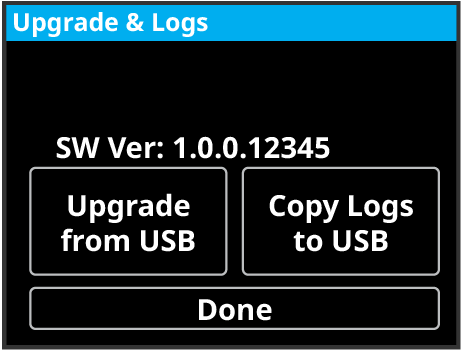
To Copy Logs to USB using the Front Menu

Copy system logs to the USB using the front menu.

  1. Insert a USB drive into a USB Port on the frame. You must wait 5 seconds for the system to recognise the USB drive.
    Important:
    Only ONE USB should be installed in the frame at any one time. USB drives are numbered according to the order they are discovered by the operating system and not the USB port they are installed in.
    Tip:
    For best performance it is recommended that the USB drive be formatted using the exFAT file system.
  2. Tap Upgrade and Logs.


  3. Tap Copy Logs to USB.

The logs have been copied onto on the USB drive.