Download and install the latest version of DashBoard from http://www.opengear.tv/. Review the documentation that comes
with DashBoard for information on installing and launching DashBoard.
Important:
Do not run real-time or on access file scanning programs on AudioEdge™
XLR-Analog-Input/Output, TouchDrive or other supporting
systems. Ross Video does not support any type of real-time or on access file scanning programs running on AudioEdge™
XLR-Analog-Input/Output, TouchDrive or other
supporting systems. Real-time or on access file scanning can cause lagging, disconnects, and timeouts between the AudioEdge™
XLR-Analog-Input/Output, TouchDrive and
other supporting systems.
Note:
AudioEdge™
XLR-Analog-Input/Output requires DashBoard v9.16, or higher.
Tip:
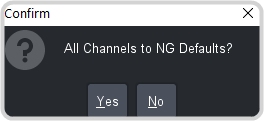
When a confirmation popup is shown in DashBoard the keyboard shortcut is alt y or alt n.