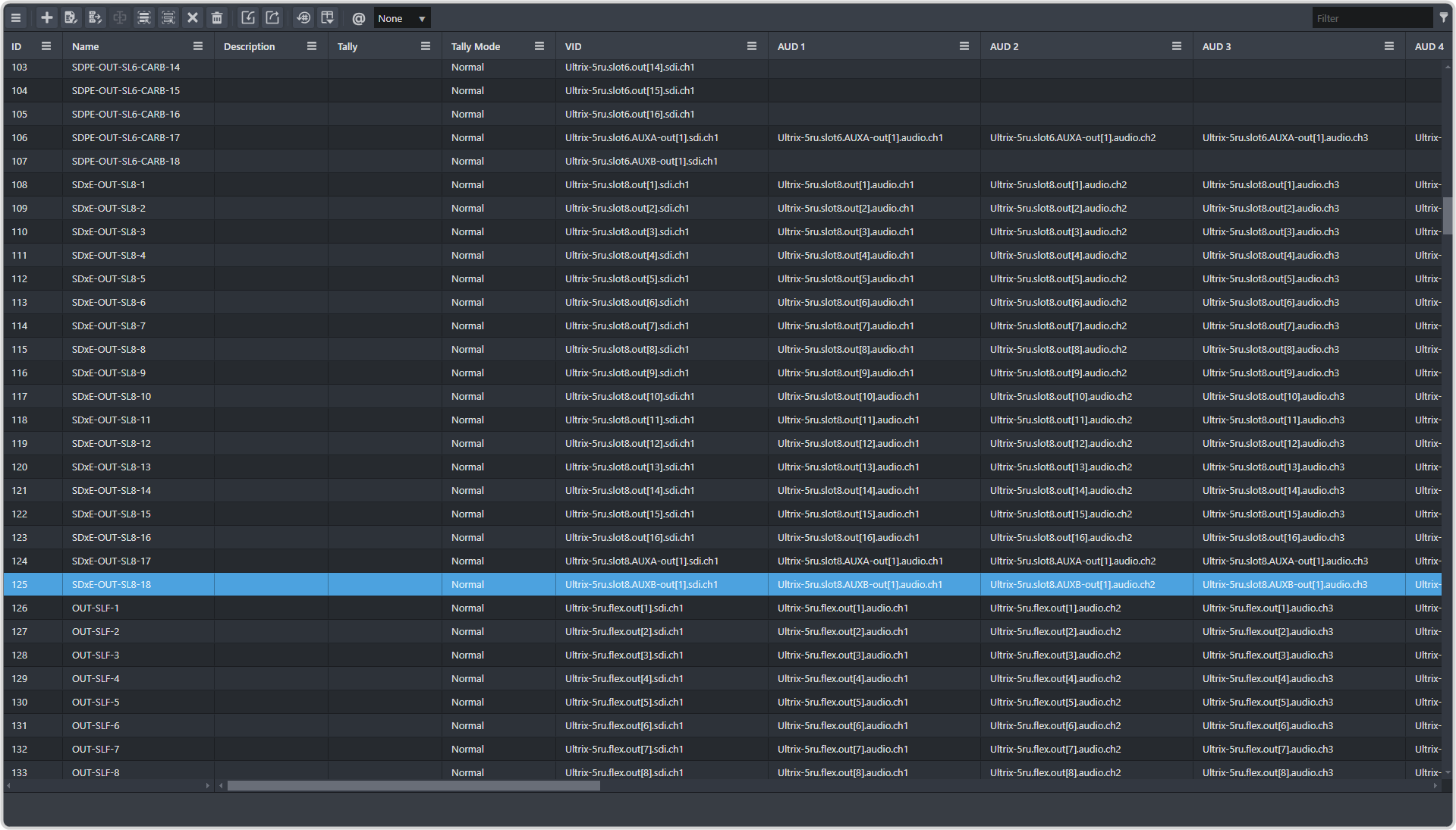
From the DashBoard tree view for the router, expand the Ultrix > Database >
Configuration node.
Double-click Destinations.
Go to the end of the table and select the last item in the list.
Click + (Add).
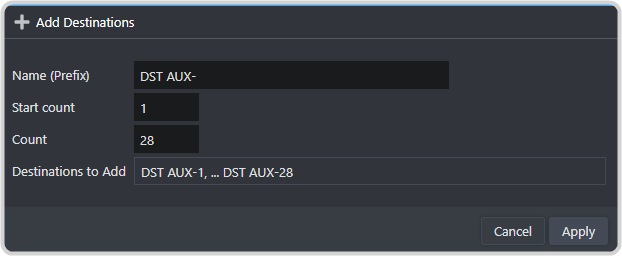
Enter the following information in the dialog box.
Name (Prefix) — enter DST AUX- or how you want the name for the aux bus to appear.
Start count — select 1.
Count — select the number of virtual aux buses you have assigned to the switcher in MaxConfig, up to 64. This creates the series of 1-XX aux buses.
Click Apply.
For each of the new sources you need to add a custom VID. The VIDs must follow the format
<router-name>.slot0.virt-out[aux].sdi.ch1. For example, aux 7 on bank 4 for the router being used for this
example would be Ultrix-5ru.slot0.virt-out[31].sdi.ch1.