
To Set up a MADI Output
MADI audio outputs exit the system through the MADI SFP port
-
Click Navigation Menu > Configuration > Inputs > MADI
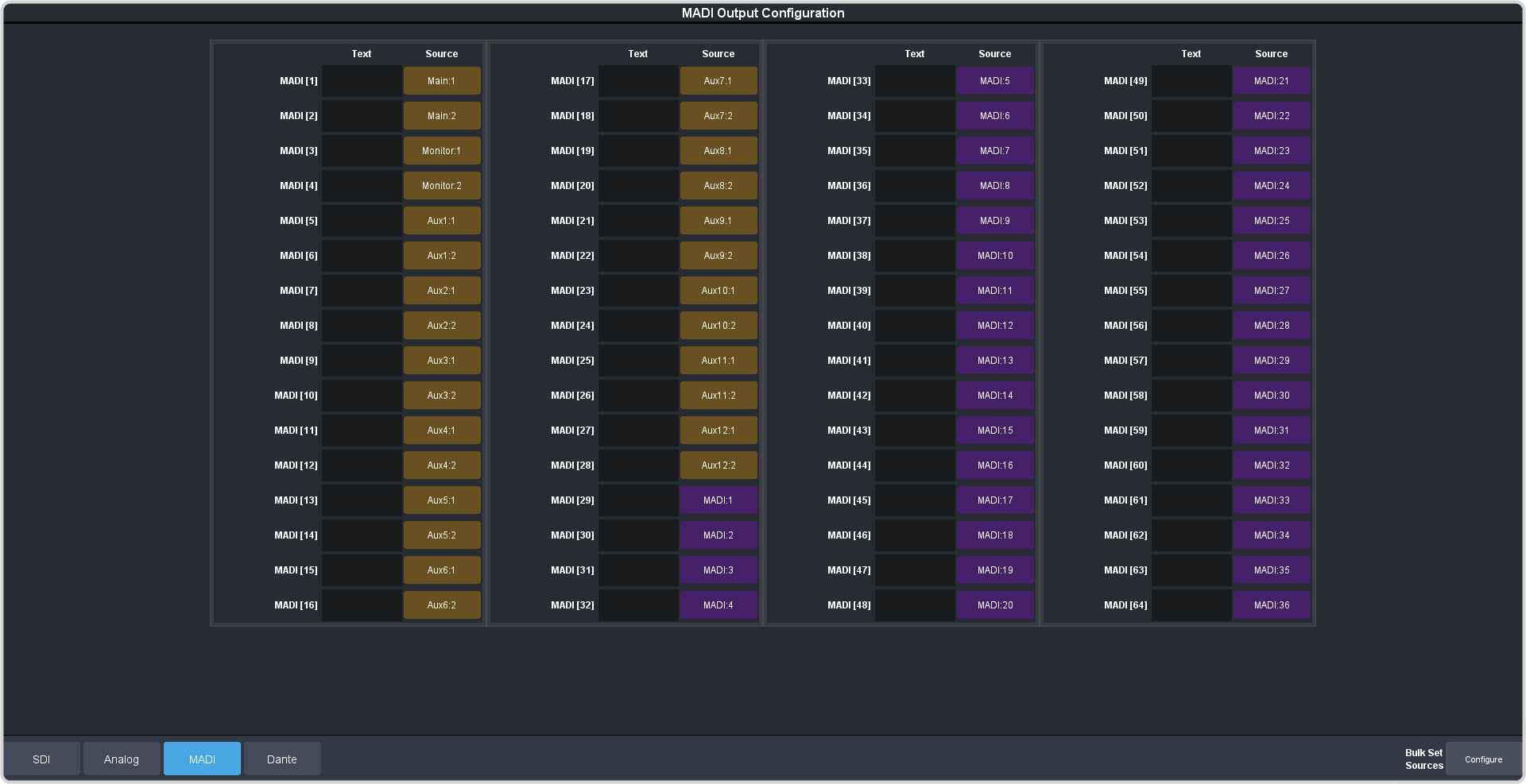
Tip:Click the Bulk Set Sources button to assign multiple sources to outputs at once.
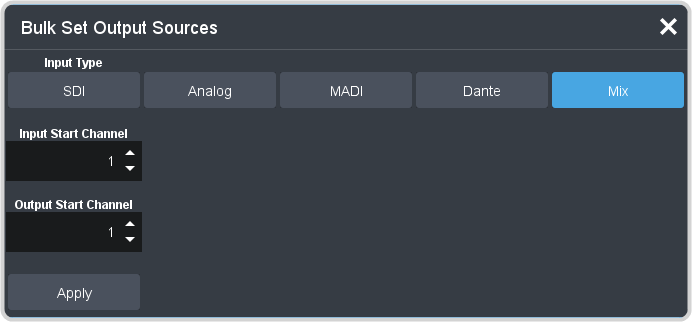
- Click the Input Type button for the type of source you want to assign to the outputs.
- In the Input Start Channel field enter the source number that you want to start assigning to the range of outputs.
- In the Output Start Channel field enter the output number that you want to start assigning the sources to.
- Click Apply.
-
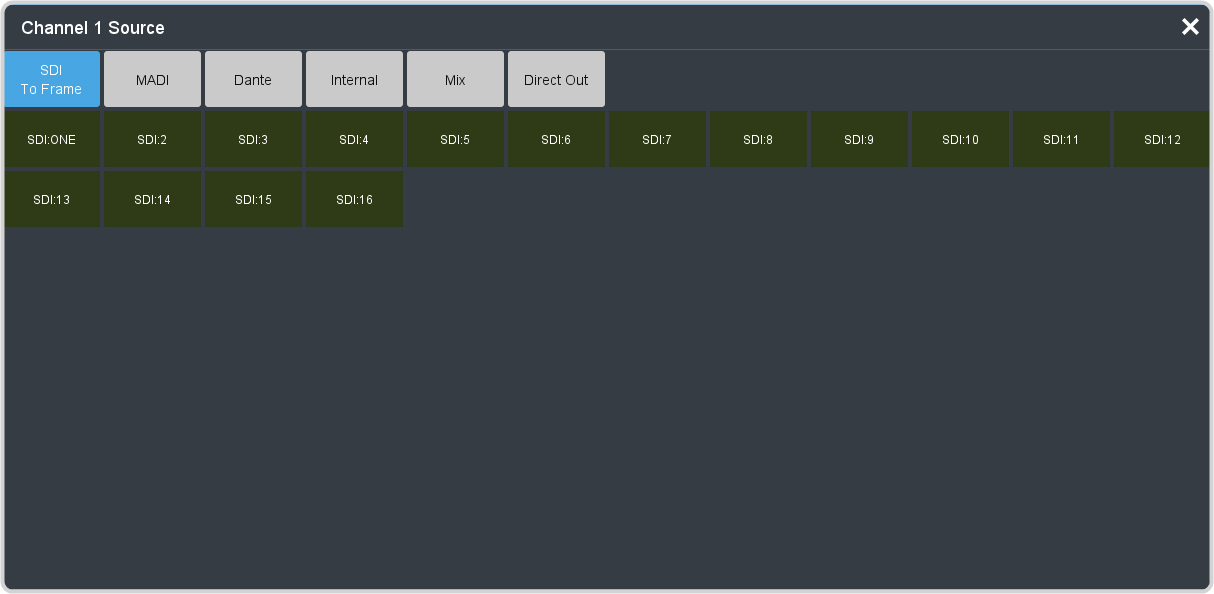
Click on the Source button for the output that you want to assign a source to.
-
Click the audio source that you want to assign to the output.
- SDI To Frame — embedded SDI input audio.
- Analog (XLR-Analog-Input only) — analog input from the XLRs on the front of the frame.
- MADI — MADI signals from the SFP on the back of the frame.
- Dante — AoIP (Dante®) from the AoIP Primary or Secondary ports on the back of the frame
- Internal — internally generated Silence.
- Mix — outputs from the audio mixer.
- Direct Out — stereo outputs of each fader.
- In the Text column, enter a new name for each output you want to identify differently. The name is used to identify the output on the mnemonics as well as on menus.
