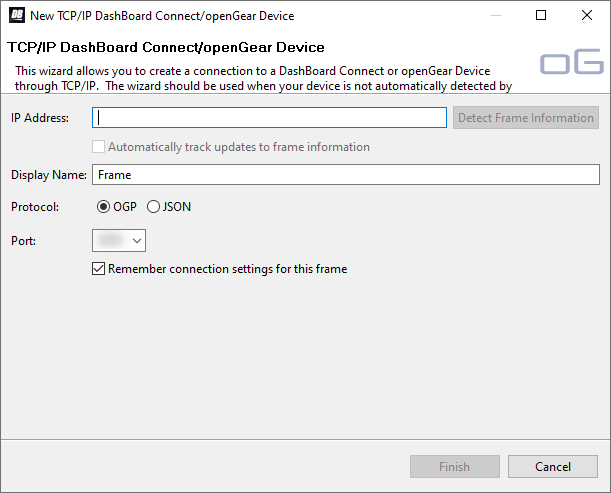
To Connect DashBoard to the Switcher
DashBoard connects to the switcher as the main panel, or as a satellite panel. Connecting as a main or satellite panel is selected by the port used to connect to the switcher. All DashBoard connections and physical panels that connect on the same port mirror each other.
Note:
The primary DashBoard connection for the switcher is to the SDPE blade that is assigned as ME P/P for that switcher. Network connections to the other SDPE blades in the system are for diagnostics, file transfer, and if you want to
assign one of them as a separate switcher.
Note:
The switcher supports a maximum of 20
DashBoard connections at any one time. If there are already the maximum number of connections to a switcher you will not be able to connect to it.
Note:
You can force a connection from DashBoard to the switcher. Right-click on the switcher node in the tree view and click Force
Connection. This will disconnect the oldest connection to the switcher.
You need the IP address of the switcher to connect to it from DashBoard.
-
Click File > New > TCP/IP DashBoard Connect or openGear Device.