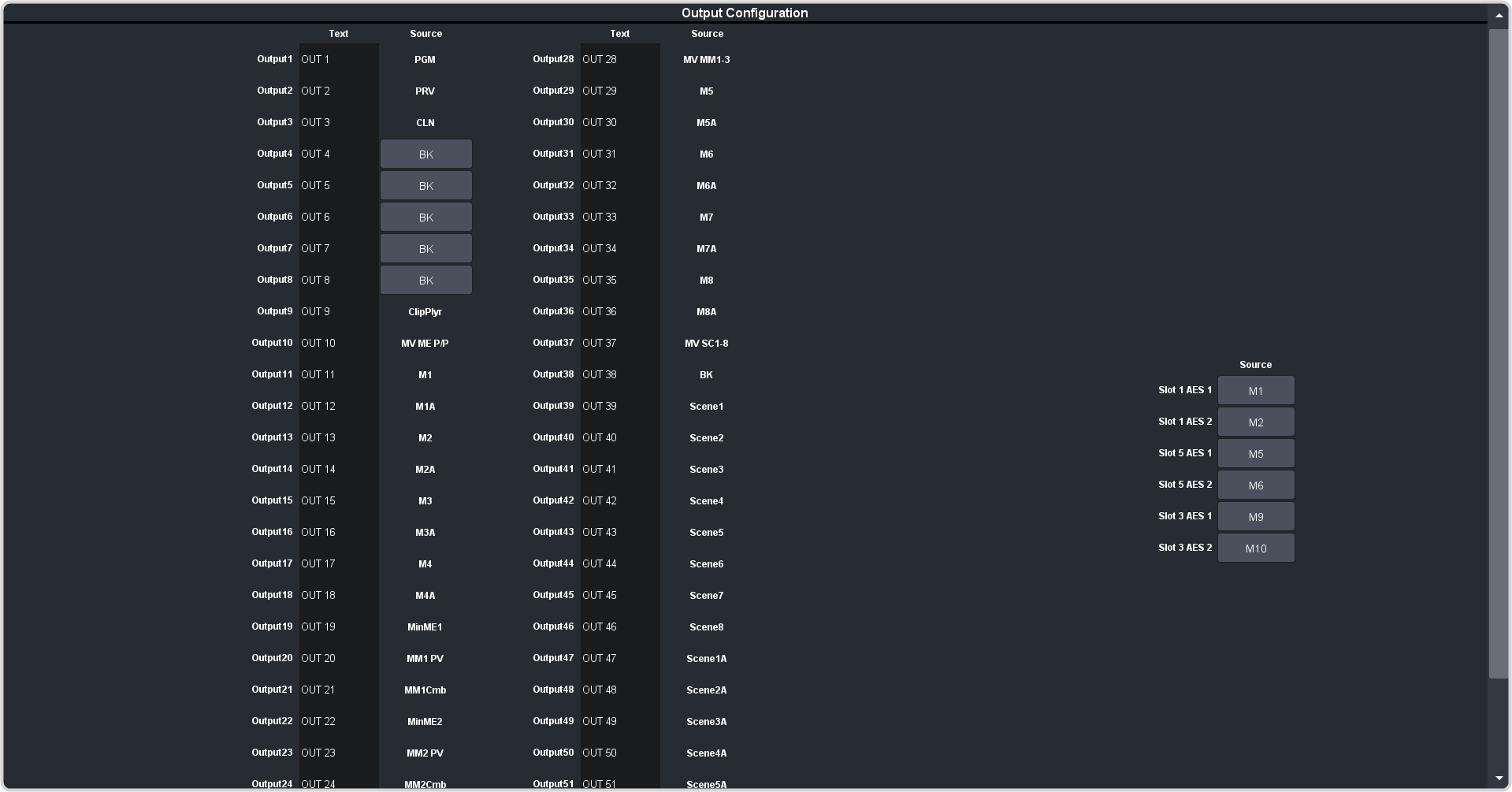
Assign video sources or buses to the outputs of the blade as routable sources for Ultrix™. Some outputs are fixed to a specific
video signal.
Click Navigation Menu > Configuration > Outputs.
Note:
All output source assignments in HD are fixed.
Note:
Only outputs 1 through 12 are available to Ultriscape for use in PiPs.
Click the video source that you want to assign to the output.
Internal — the internally generated sources of the selected SDPE.
BK — black
PGM — main program output of the switcher
PRV — main preview output of the switcher
CLNX — clean feeds for main program of switcher
Media — the Media-Store and MediaWipe sources.
MX — Media-Store video channel X
MXA — Media-Store alpha channel X
ME Follows — the background, preset, and key buses of each ME.
MEXBg — source on background of MEX (if installed)
MEXPst — source on preset output of MEX (if installed)
MEXKYV — key Y video of MEX (if installed)
MEXKYA — key Y alpha of MEX (if installed)
In the Text column, enter a new name for each output you want to identify differently. The name is used to identify the output on the panel mnemonics as well as
on menus.