
To Set the Memory Attributes
Memory attributes can be set when the memory is stored or when it is recalled. This procedure sets the store attributes, but the information applies to both.
-
Click the Attrib button for the ME you want to set the attributes for.
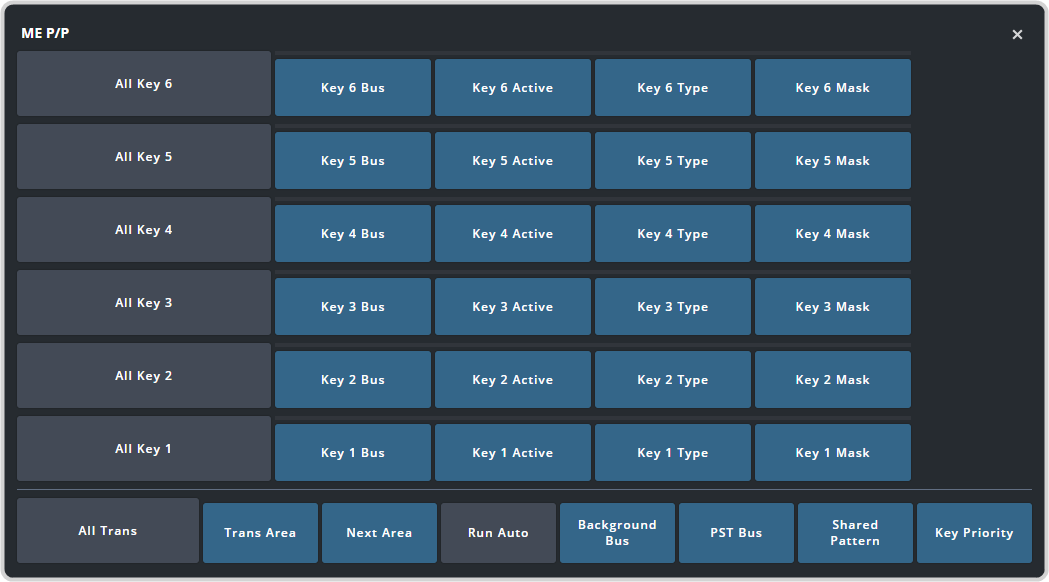
Tip:The Run Auto and Key Priority buttons are not changed by the All Trans button.- Trans Area — set how the next transition type and parameters are recalled.
- Next Trans — set how the next transition area is recalled.
- Background Bus (A-Side) — set how the sources selected on the A-side background bus are recalled.
- PST Bus (A-Side) — set how the sources selected on the A-side preset bus are recalled.
- Background Bus B (B-Side) — set how the sources selected on the B-side background bus are recalled.
- PST Bus B (B-Side) — set how the sources selected on the B-side preset bus are recalled.
- Shared Pattern — set whether the settings for the shared Key Mask/Wash pattern generator is recalled.
- Key X Bus — set whether the source selected on the key bus is recalled.
- Key X Active — set whether the on-air status of the key is recalled.
- Key X Type — set whether the key type is recalled.
- Key X Mask — set whether mask settings for the key are recalled.
- Run Auto — set whether a transition is performed after the memory is recalled. (Not available during Effects Dissolve transitions.)
- Key Priority — set whether the key priority is recalled.
-
Click the Attrib button for the MiniME™ you want to set the attributes for.
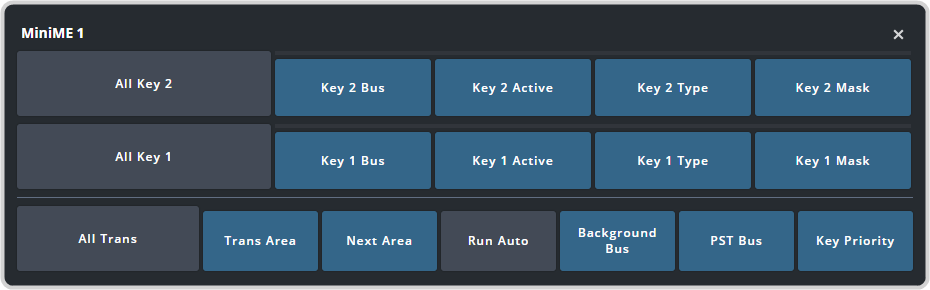
Tip:The Run Auto and Key Priority buttons are not changed by the All Trans button.- Trans Area — set how the next transition type and parameters are recalled.
- Next Trans — set how the next transition area is recalled.
- Background Bus — set how the sources selected on the A-side background bus are recalled.
- PST Bus — set how the sources selected on the A-side preset bus are recalled.
- Key X Bus — set whether the source selected on the key bus is recalled.
- Key X Active — set whether the on-air status of the key is recalled.
- Key X Type — set whether the key type is recalled.
- Key X Mask — set whether mask settings for the key are recalled.
- Run Auto — set whether a transition is performed after the memory is recalled. (Not available during Effects Dissolve transitions.)
- Key Priority — set whether the key priority is recalled.
-
Click the Attrib button for the MaxScene you want to set the attributes for.
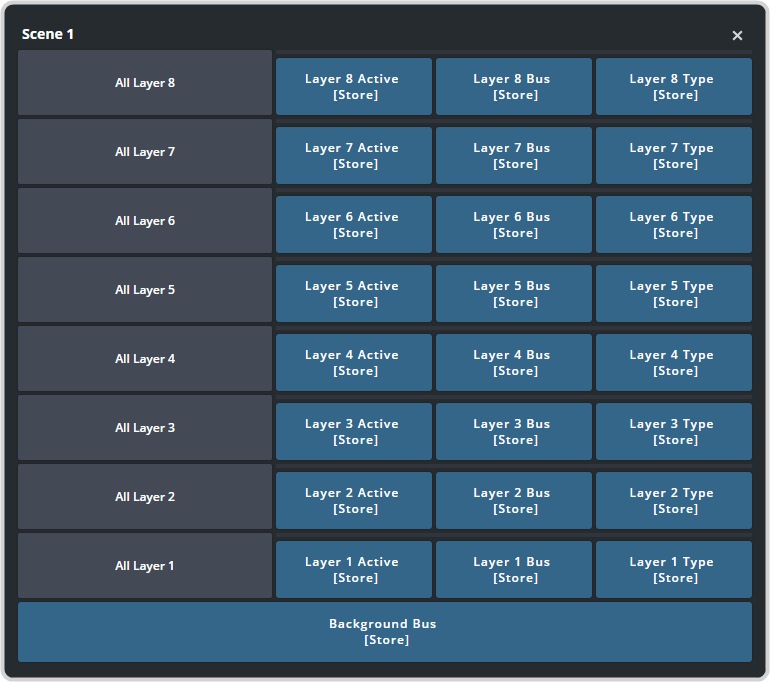
- Layer X Active — set how the on-air or off-air status of the layer is recalled.
- Layer X Bus — set how the source (video and alpha) selected on the layer is recalled.
- Layer X Type — set how the layer key type is recalled.
- Background Bus — set how the background bus of the scene is recalled.
-
Click Aux Bus Attributes.
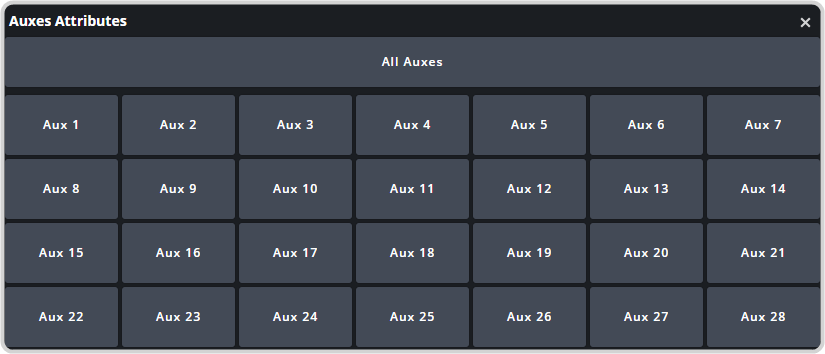
- Aux X — set whether the source selected on the aux bus is recalled.