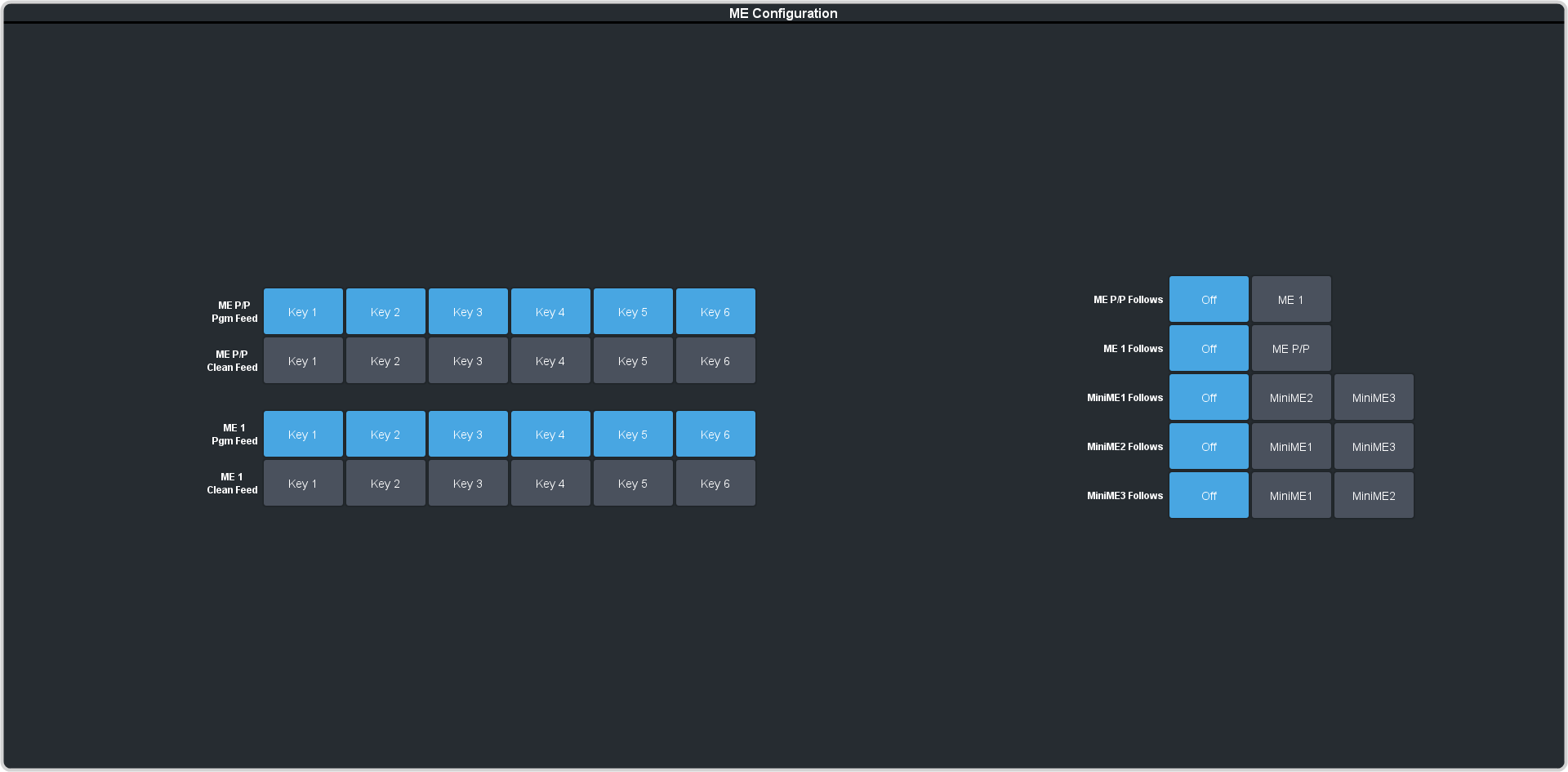
FlexiClean Clean Feed
FlexiClean clean feed provides an additional output per ME that can show different keys than the program output.
Clean feed is typically used for bilingual and live-to-tape productions. It allows you to assign keys to the Background or CLEAN outputs of an ME independent from transitions. A frequent application is the recording of shows for later airing without call-in phone numbers inserted.
The background and clean feeds for an ME can be set to include or exclude any keys. This allows to essentially have multiple program outputs for a single ME that can include different keys. Keys can be transitioned on or off-air for the ME but will not impact the feed they are not assigned to.
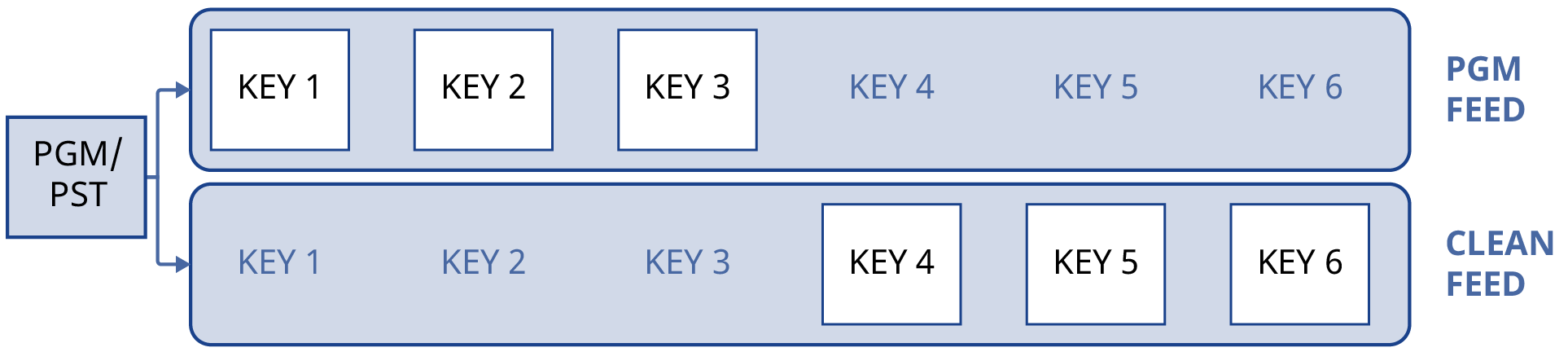
Keep the following in mind:
Keep the following in mind when working with clean feeds:
- Recalling a memory register using MemoryAI may cause the clean feed outputs to look different than expected. MemoryAI allows key elements to be recalled to other keys than originally resulting in different key layering.
- Including a key in the clean feed does not force the key on-air. If a key is off-air, it will not appear on the clean feed even if it is included.
- The Media-Store animation can be removed from a MediaWipe on the Program or Clean output. This allows the wipe or cut transition to be performed without the animation overlay.
- The number of clean feeds is difference for HD and UHDTV1. In HD you have Program plus 3 Clean Feeds. In UHDTV1 you have Program plus 2 Clean Feeds.
To Set Up Clean Feed
Clean Feeds can include any or all of the keys on an ME. This allows you to have multiple outputs of an ME without any branding for re-broadcast or archival.
-
Click Navigation Menu >
Configuration >
System >
ME > ME
x.