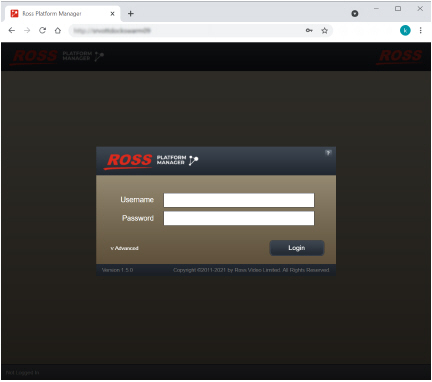
Ross Platform Manager is a web based application that you access through a web browser.
1.Use one of the following supported web browsers to open the Ross Platform Manager web page provided by your Ross Platform Manager administrator:
•Microsoft Internet Explorer® version 9 or greater
•Mozilla Firefox® version 3.6 or greater
•Google Chrome™ browser version 17.x or higher
•Apple Safari® version 5.1.x or greater
The Login panel opens.
2.In the Login panel, enter your Ross Platform Manager login credentials in the Username and Password boxes.
3.Click or tap Login.
Ross Platform Manager opens.
If a message indicates that the system is in maintenance mode, a system administrator must establish a database connection before you can log in as a Ross Platform Manager user.
If a message indicates that the maximum number of concurrent users has been reached, it is because the allowance for your RPM subscription tier has been reached. Please contact your system administrator.
To close Ross Platform Manager
•On the main toolbar, click or tap the  Logout icon.