 MOS icon.
It is common for a news room to have multiple studios with multiple sets of devices for different playouts of running orders. Inception enables you to create and mange studios to associate with running orders. When you monitor a running order, Inceptions sends out the associated studio to any MOS device monitoring the running order.
1.On the Configuration window toolbar, click the MOS icon.
The MOS panel opens.
2.Click the Studios tab. If the Studios tab is not visible, you do not have an NCS license for your Inception Server and you cannot create studio for your server.
The Studios tab opens.
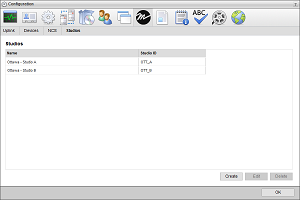
3.Click Create.
4.In the Name box, enter a name for the studio.
5.In the Studio ID box, enter the studio identifier that Inceptions sends through MOS.
6.Click Create.
Inception creates the new studio and adds it to the Studios list.